
Invoice scanning
Photograph the delivery note. Check what it read. That's the job.
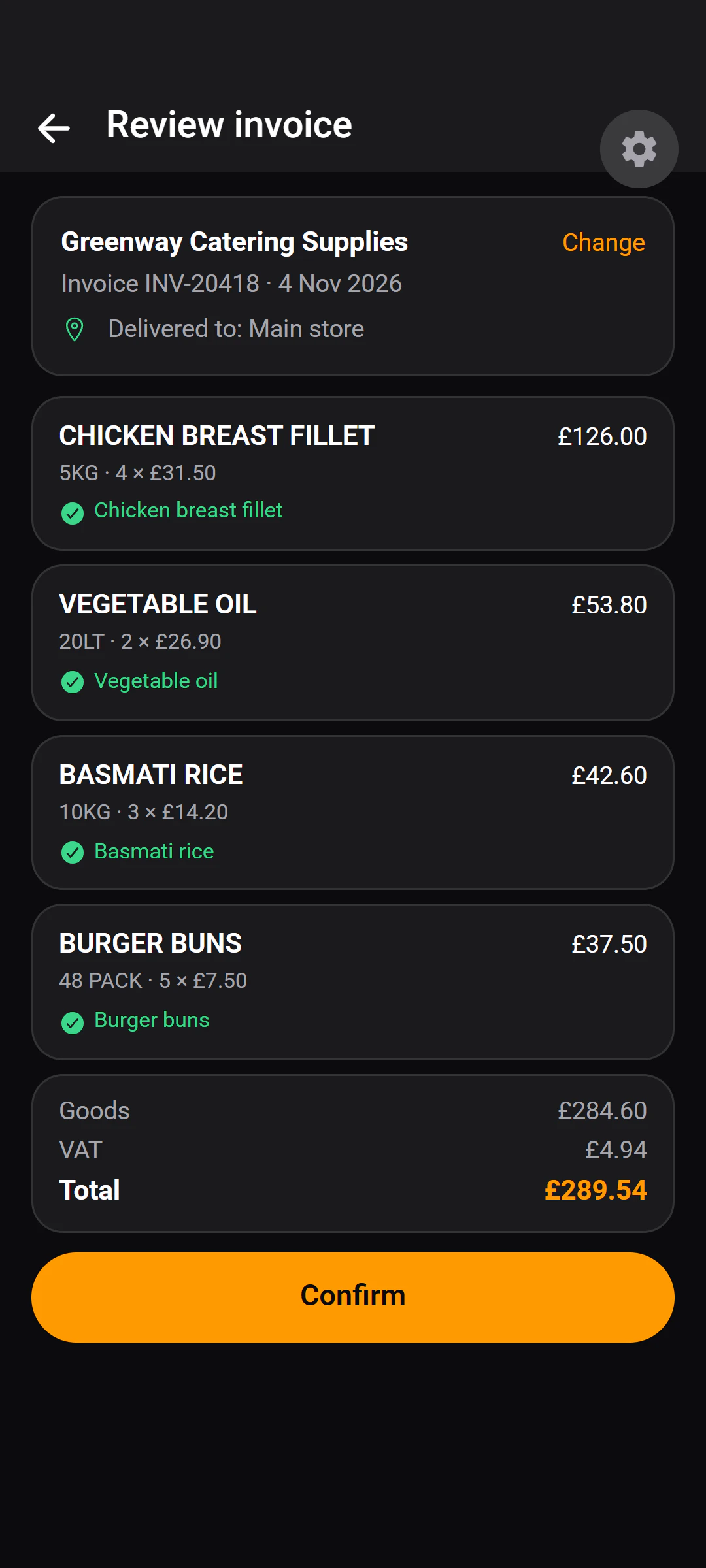
A person stays in charge. Nothing reaches your stock or spend until someone checks the lines and presses Confirm.
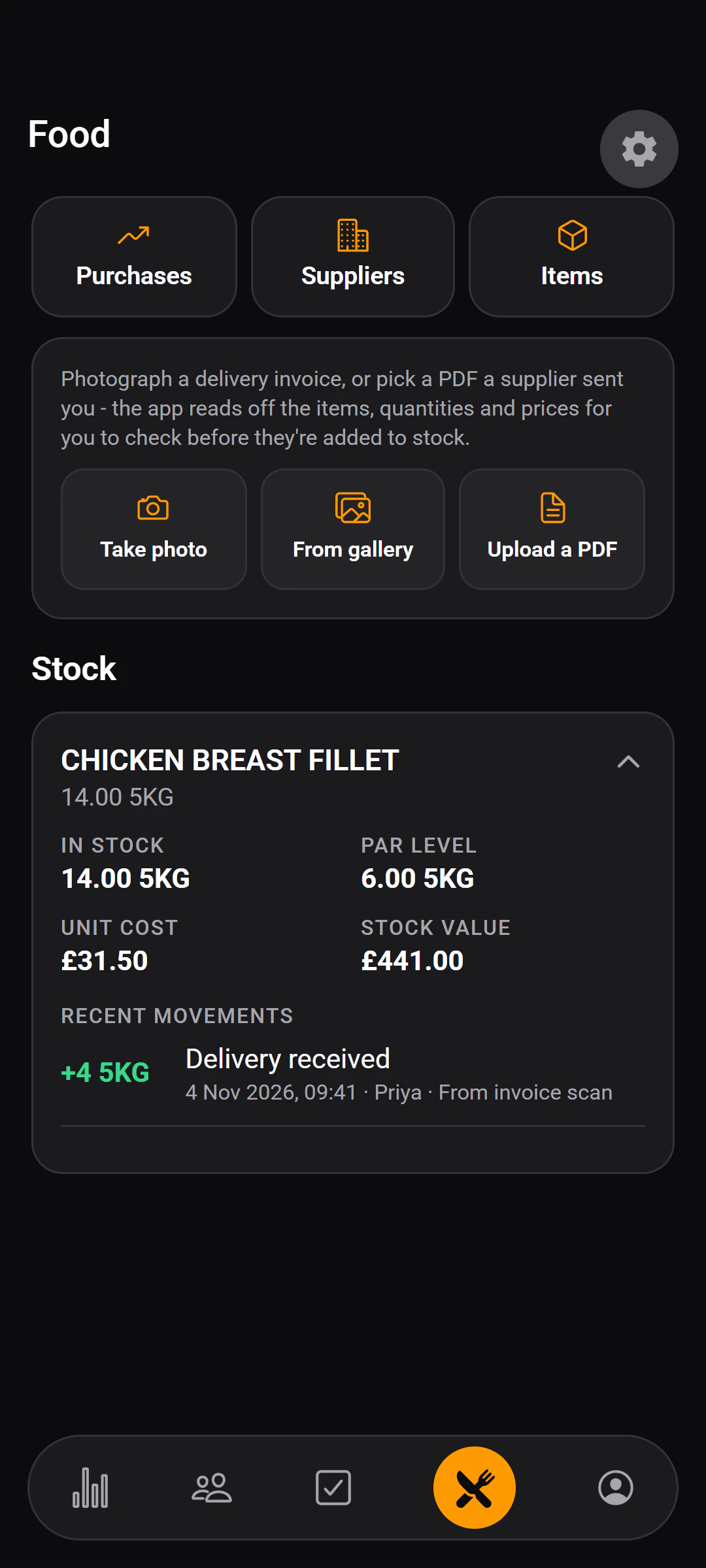
The pipeline
From the delivery to the books.
Reading happens on a background worker, so the app is never blocked while an invoice is read — capture the next one, or get on with the shift.
01
Capture
Camera, gallery or PDF.
02
Queued
Uploaded and waiting its turn.
03
Read in the background
Supplier, lines and totals extracted.
04
Review
Each line matched to a stock item.
A person
05
Confirm
A person presses Confirm.
A person
06
Stock and spend
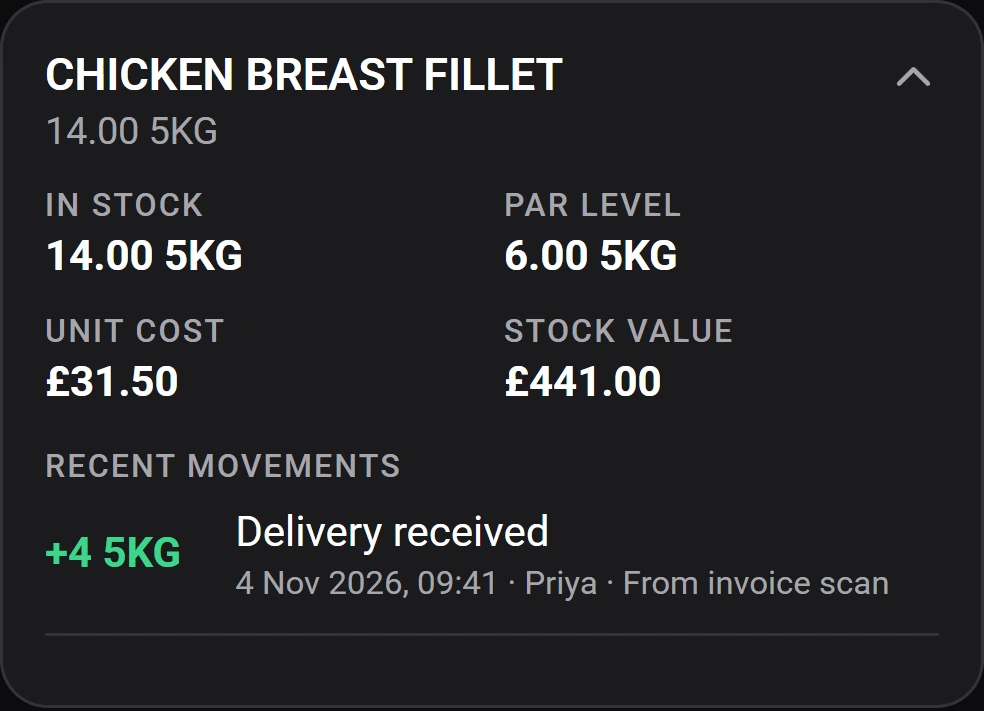
Quantities move; spend is recorded.
What it reads
The whole note, not just the total.
- From the top of the note
- Supplier
- Invoice number
- Invoice date
- From every line
- Description
- Size
- Quantity
- Unit price
- Line total
- From the bottom
- Goods
- VAT
- Total — as printed
Credit notes are recognised and applied as returns, not deliveries.
Where a person stays in charge
It reads. You decide.
Scanning saves the typing, not the judgement.
Nothing reaches stock until Confirm.
What was read is a draft. Quantities move and spend is recorded only when a person confirms the invoice.
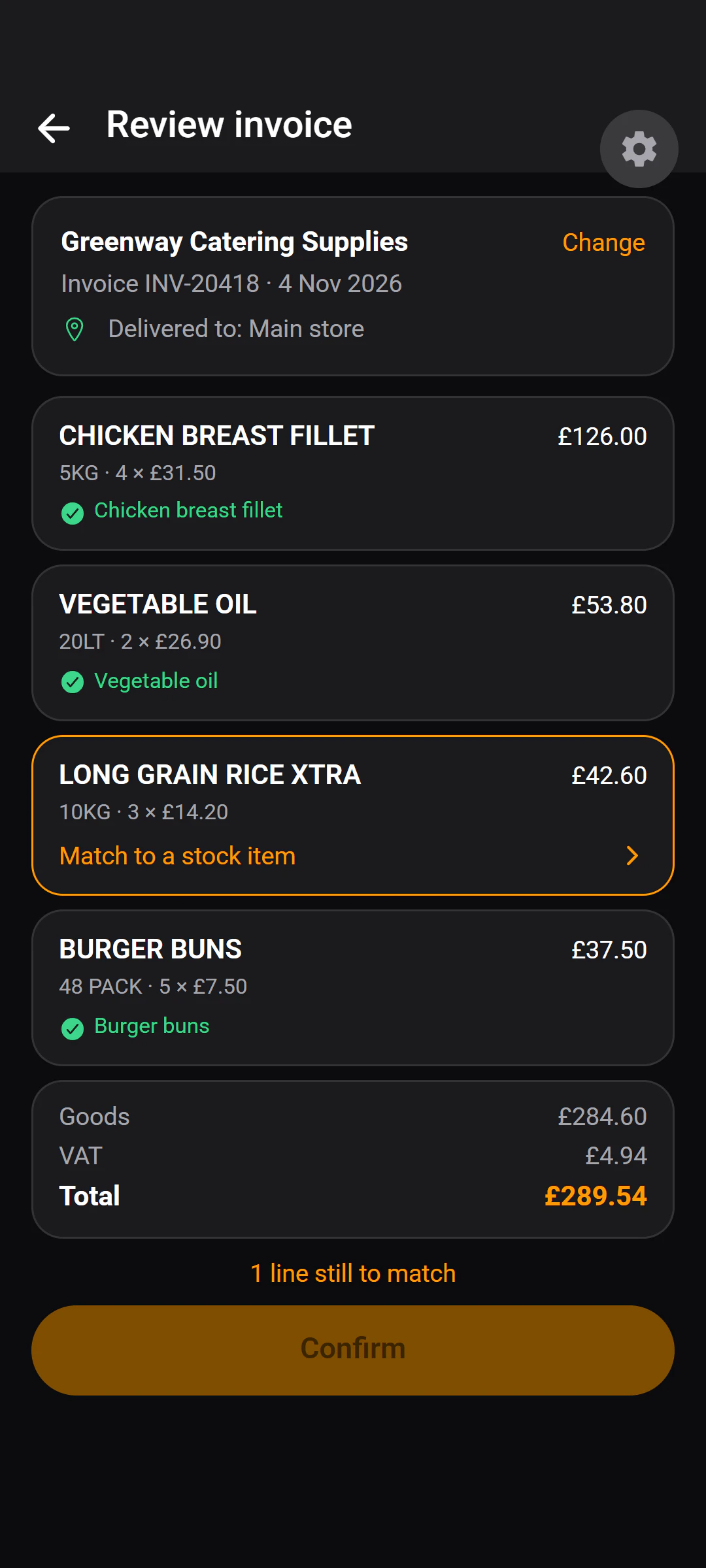
Every line must be matched first.
Each line is matched to one of your stock items before the invoice can be confirmed. Once a supplier's wording has been matched, it is recognised next time.
An unreadable price is not a zero.
Lines whose price could not be read are counted separately, so a missing figure never quietly lowers your spend.
A repeated invoice number is flagged, not rejected.
If a supplier's invoice number has been seen before, the new one is still read, and flagged so you can compare the two.
What it costs you
Built not to waste a read.
Reading an invoice has a cost, so the product avoids paying for one it doesn't need.
Duplicates are caught before anything is spent
An identical file is recognised before it is read, marked as a duplicate, and not read again.
An optional monthly ceiling
A restaurant can have a monthly limit on how many invoices are read. Past it, the upload is kept and lines can be added by hand.
Digital PDFs are read as text
PDF pages that carry their own text are sent as text rather than as pictures, and pages with no figures on them are skipped.
Afterwards
Know what things really cost.
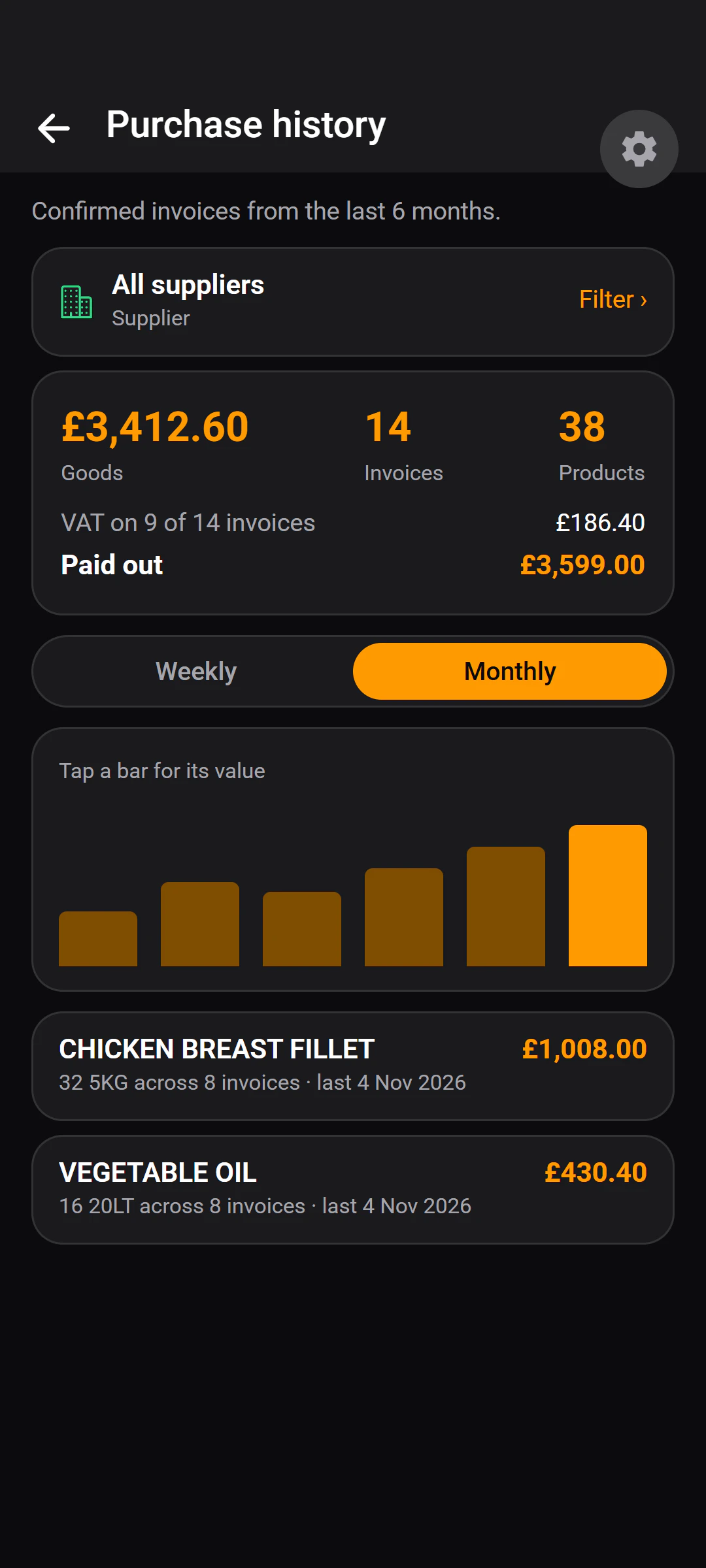
- Totals per product across every supplier and over time — what you have actually spent on each thing you buy.
- Spend by supplier, by storage area, by week or by month.
- Goods, VAT and paid-out shown separately.
- Lines with no readable price, and lines not yet matched, are reported rather than hidden.
Questions
About the scanning.
You correct it before it counts. Every scanned invoice is a draft until a person reviews it.
Each line has to be matched to one of your stock items, and nothing reaches your stock or spend until someone presses Confirm. Lines whose price could not be read are counted separately rather than treated as zero.
If an invoice cannot be read at all, the upload is kept so the lines can be entered by hand.
Yes. Upload the PDF, or photograph a paper delivery note, or pick a photo from the gallery.
PDF pages that carry their own text are read as text rather than as pictures.
Credit notes are recognised and applied as returns, not deliveries.
Stock goes down rather than up, and the spend figures reflect the credit.
An identical file is caught before it is read. It is marked as a duplicate and not read again.
A different file carrying an invoice number already seen for that supplier is still read, but flagged so you can compare the two.
Want it reading your delivery notes?
Tell us about your place. A person reads every request and replies by email.